Authentication
This documentation outlines the authentication mechanisms implemented in the Harmoney application, including supported authentication methods, SSO providers and an overview of authentication-related configuration.
Authentication methods
An authentication method defines a single option for a user to login to the Harmoney application.
Harmoney currently supports 2 types of authentication methods:
BUILT_IN: User authentication through a username (= email or phone number) and (one time) password combination.PROVIDER: User authentication through a SSO-provider.
Authentication points
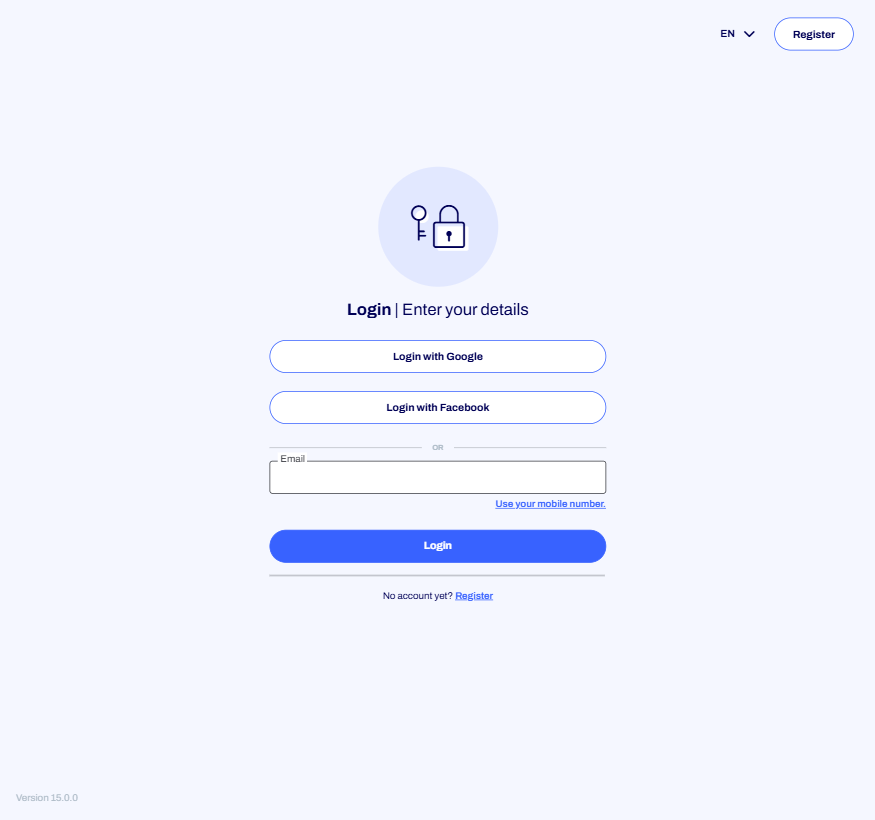
1. White label login page
This is the default landing page for users navigating to a Harmoney instance. The login page can display multiple authentication methods for the user to choose between.
2. Information request
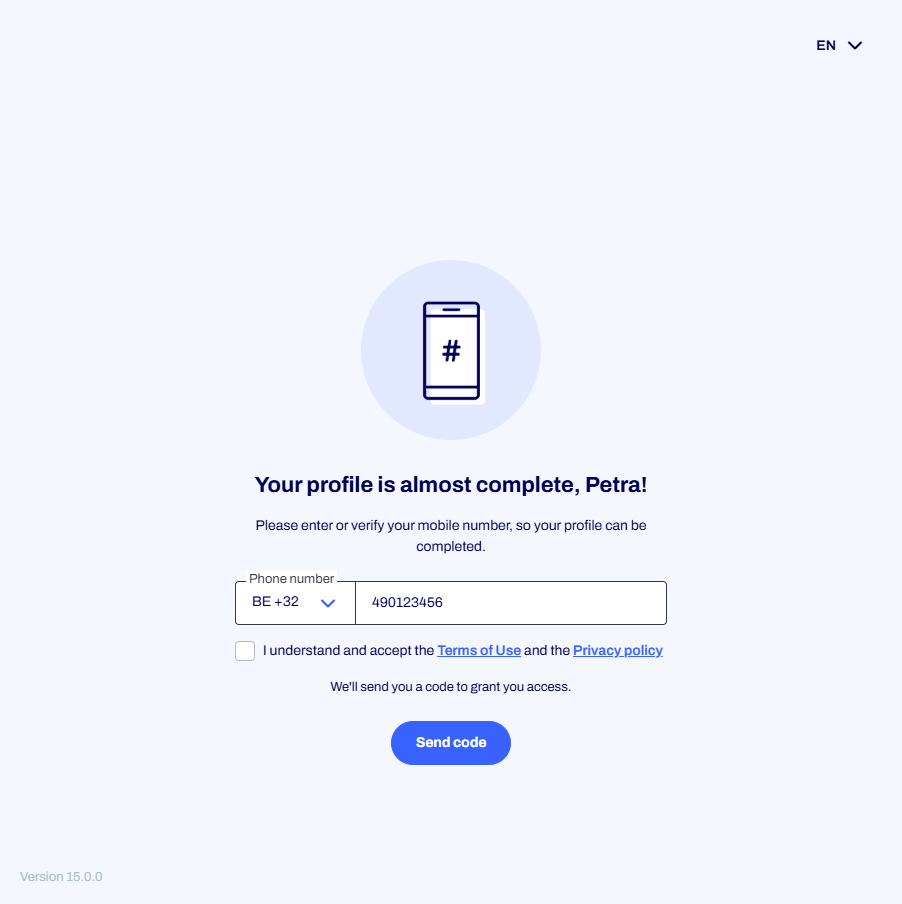
When an information request is initiated, the counterparty receives a URL to complete the flow. Authentication is required in order to start the flow. Only a single authentication method is supported here. When a SSO-provider is configured and the user is already authenticated with the provider, they will be redirected back to the Harmoney application seamlessly.
3. API Gateway
When doing requests to the Harmoney API Gateway, authentication is required to access protected endpoints.
This can be either the BUILT_IN authentication method (basic authentication using username and password), or using a bearer token obtained from a configured SSO provider.
For bearer token authentication:
- The client's server fetches an access token from their identity provider (IDP).
- The token is included in the request as a Bearer token in the Authorization header (e.g., Authorization: Bearer token).
- The organization identifier (
X-Organization-Identifier), the white label identifier (X-Whitelabel-Identifier), and the provider identifier (X-Provider-Identifier) are also included in the request headers. - Upon successful validation, the user is authenticated, and if necessary, a new user may be registered based on the token claims (similar to web-based SSO flows). If automatic registration is not possible (e.g., missing required fields like first name, last name, or mobile phone), the request returns an unauthorized exception.
Multiple SSO providers can be configured for gateway authentication via the white label settings.
Considerations for SSO-Provider in Gateway Authentication
- Ensure that the user is not already created in the Harmoney application using another provider or
BUILT_INmethod. This prevents conflicts in the gateway authentication process. - In a typical user login process via SSO, if the user already exists in the Harmoney application with another login method, the system will simply send a one-time password (OTP) code to the user's registered email or phone number for verification. This approach leverages existing user data for a seamless experience.
- However, this OTP-based solution cannot be applied to the API Gateway. The API Gateway operates on a system-to-system communication model, which does not support interactive user verification methods like OTP delivery.
Configuration overview
The authentication configuration can be done on multiple levels of the Harmoney application.
White label
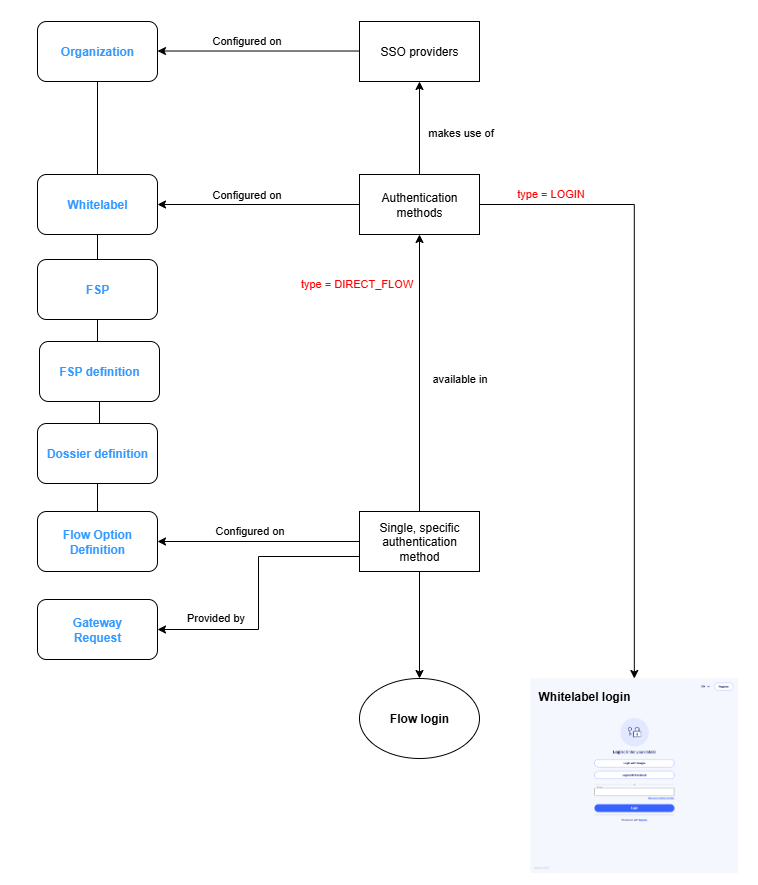
By configuring authentication methods on the white label, an organization can control what SSO providers can and cannot be used for each of its white labels. All authentication methods must be configured on white label level. Optional authentication methods from flow option definitions or from gateway requests must exist on whitelabel level or otherwise they will be considered not allowed!
If no methods are configured, the default behavior is the BUILT_IN authentication method for both login and information request.
If it's desired to use the PROVIDER authentication method instead, one or more SSO-providers can be configured in the provider library.
[
  {
    "providerIdentifier": "SSO provider - customer",
    "type": "PROVIDER"
  },
  {
    "type": "BUILT_IN"
  }
]
When a SSO-provider is configured, but it cannot be found, or it is disabled, the BUILT_IN authentication method will be used as a fallback to avoid being locked out of the application.
Information request
The authentication methods for the information request must also be configured on white label level.
- If the white label only uses a single SSO provider to authenticate users in the information request, you can configure a single authentication method for that provider on the white label and it will always be used, regardless of which flow option is used to initiate the information request.
- It's possible to configure a different authentication method for the information exchange. Keep in mind that the information exchange only allows a single authentication method to be used. You will have to specify the correct authentication method to be used either on flow option definition level or through the gateway request (if applicable).
- In case multiple authentication methods are configured for information request, every flow option definition must have an authentication method configured.
Gateway
The authentication methods for the API Gateway must also be configured on white label level.
- If no authentication methods are configured for the API Gateway, the
BUILT_INauthentication (Basic auth) method will be used by default. - If there are authentication methods of type
PROVIDERconfigured for the API Gateway, the authentication method will be derived from the headers of the request.- The
X-Organization-Identifier,X-Whitelabel-Identifier, andX-Provider-Identifierheaders must be included in the request for this to work. - Disabling the
BUILT_IN, by not including it alongside thePROVIDERauthentication methods, will not have any effect. Because at the moment of logging in the user, there is no notion on which whitelabel the user is using (Because basic auth does not require those headers).
- The
Privacy policy and terms of use
When registering a new user and at the start of the information request flow, the user can be asked to accept the privacy policy and/or the terms of use. The links to these documents are configured on the white label settings:
privacyPolicy: link to the privacy policy document.termsOfUse: link to the terms of use document.
A single, combined acceptance checkbox covering both documents is shown — both on the registration page for new users and at the start of the information request flow. Each setting that is filled in adds a link to that document in the checkbox label. Leaving a setting empty removes the corresponding link from the checkbox — if both are left empty, the checkbox is no longer shown and the user can proceed without it.