Custom email templates
Where can I configure custom email templates?
Custom email templates can currently only be configured on custom actions SendMail and SendMailOnDossierStatusChange.
To use a custom email template in these actions you need to configure an identifier for the custom email template in the custom action settings.
The custom email template itself is stored as 2 whitelabel translations:
EMAIL_<customTemplateName>_SUBJECT: the email subjectEMAIL_<customTemplateName>_BODY: the email "body", this is the content you'll see when opening the email
How to create a custom email template
Let’s say you have configured some automation to use a custom email template customEmail.
Every email template must have correct translations for the following codes:
EMAIL_<customTemplateName>_SUBJECT: translation that will be used as the email subject. In our example this would beEMAIL_customEmail_SUBJECT.EMAIL_<customTemplateName>_BODY: translation that will be used as a Velocity Template to construct the email content. In our example this would beEMAIL_customEmail_BODY.
The email subject is pretty straight forward. It should contain plain text about the purpose of the email. It can optionally display contextual data (like the client name) by using the correct reference. See below.
The email body is a little more complicated. The Harmoney system uses Apache Velocity to parse a Velocity Template into the HTML content that will be displayed in the email when the recipient opens it.
To maintain a consistent Harmoney layout over all email templates, we always use the “main” email Velocity Template: email.html
Start your custom template with the following:
#parse("EMAIL_TEMPLATE_MAIN")
#@mainLayout()
#end
This will import and load the main email template. If we tested our custom email template now, it would look like this:
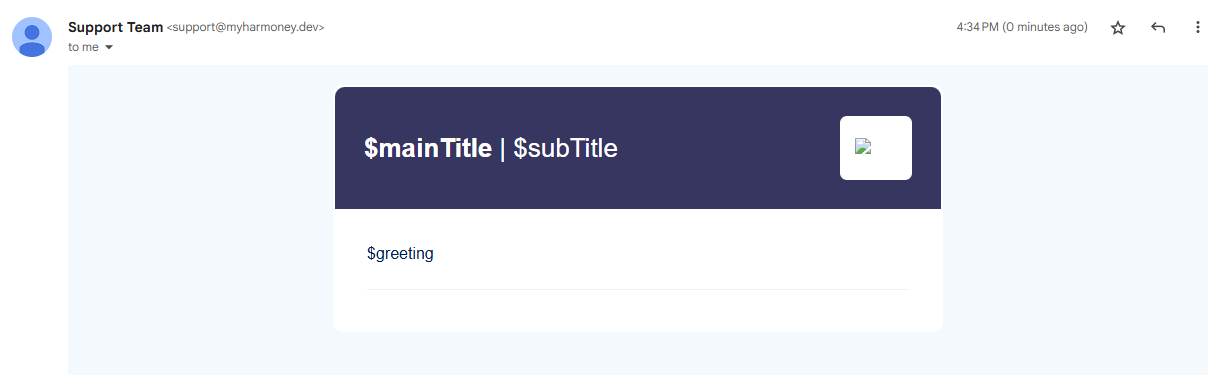
As you can see, this is a very empty email. The words that you see preceded by a $ sign are called Velocity references. They are basically variables defined in the main email template, that we can define a value for in our own custom template.
To define a value for a reference, we can use the following syntax: #set($reference = "some text").
Let’s add the references for the titles and the greeting to our custom template.
#set($mainTitle = "Important stuff")
#set($subTitle = "less important stuff")
#set($greeting = "Hello $recipient.name,")
#parse("EMAIL_TEMPLATE_MAIN")
#@mainLayout()
#end
- Notice the
$recipient.namereference in our $greeting. You can use other references in references (🤯). This can be useful when you want to display contextual data, such as the name of the recipient. There are other common references available, see below.
Let’s see what our email looks like now:
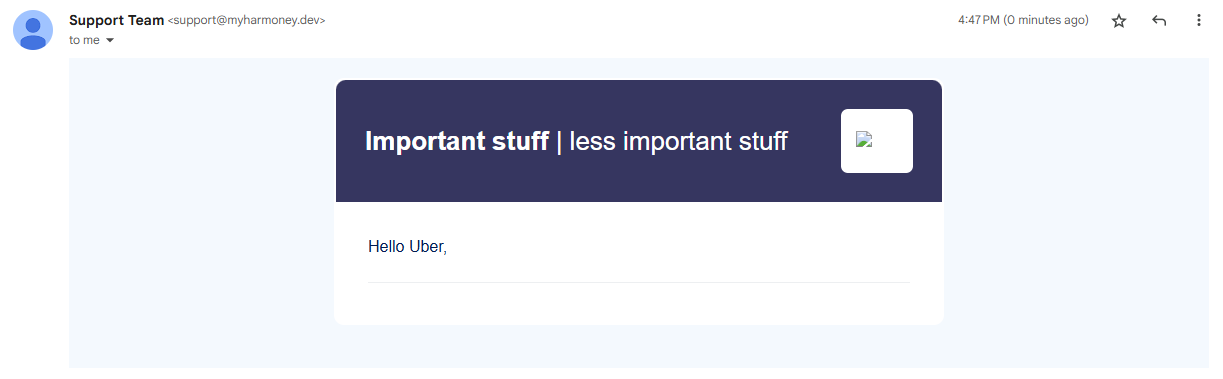
Of course, we are missing the most important part of the email: the actual content of the email. The “body content” of the email should be written between the #@mainLayout() line and the #end line and allows using HTML elements. Technically, everything you write between these lines will be passed as a $!bodyContent reference. If you look in the main template HTML above, you will find that $!bodyContentreference. See also https://velocity.apache.org/engine/1.7/user-guide.html#velocimacros.
Here is an example using our email template:
#set($mainTitle = "Important stuff")
#set($subTitle = "less important stuff")
#set($greeting = "Hello $recipient.name,")
#parse("EMAIL_TEMPLATE_MAIN")
#@mainLayout()
<h2>This is the main content of the email</h2>
<p>This is the main course, you can write some juicy info in here.</p>
<p>You could list some stuff in here as well:
<ul>
  <li>Stuff</li>
  <li>More stuff</li>
</ul>
#end
This will result in the following email:
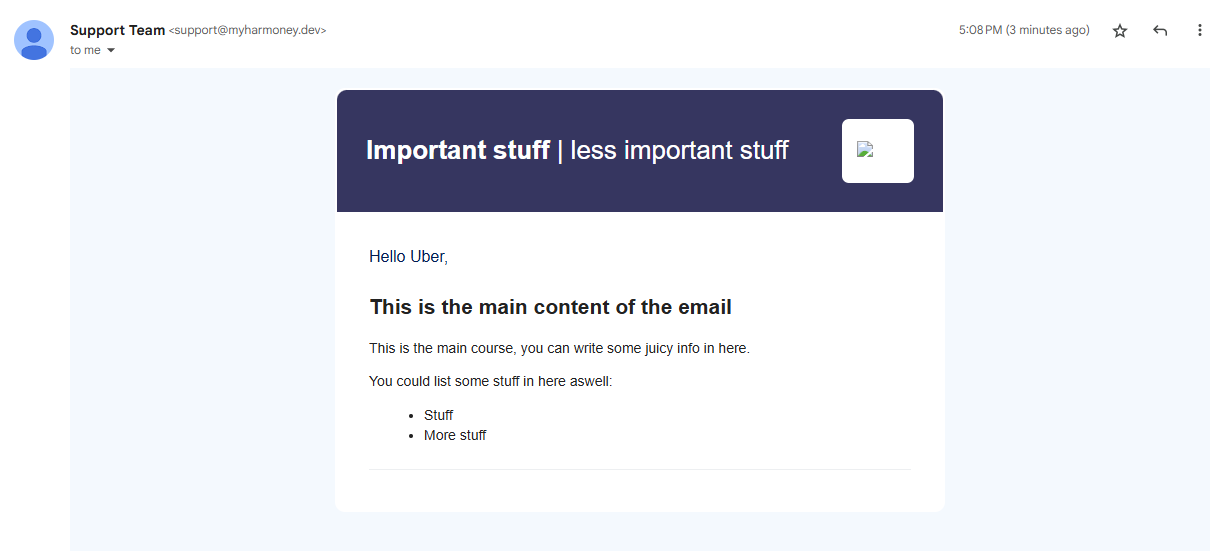
There are some other references that are commonly used in our email templates. I’ll add some of them here so you can copy paste the below snippet as an easy to use template yourself. Keep in mind that these extra references are not required, and you should remove any that are not relevant to your email template.
#set($mainTitle = "Important stuff")
#set($subTitle = "less important stuff")
#set($greeting = "Hello $recipient.name,")
#set($conclusionText = "A friendly message to conclude the email.")
#set($endText = "<p>Optional text between the footer and the conclusion text, <b>can contain HTML</b></p>")
#set($footer = "<p>Some info in the footer, <b>can contain HTML</b></p>")
#parse("EMAIL_TEMPLATE_MAIN")
#@mainLayout()
<h2>This is the main content of the email</h2>
<p>This is the main course, you can write some juicy info in here.</p>
<p>You could list some stuff in here as well:
<ul>
  <li>Stuff</li>
  <li>More stuff</li>
</ul>
#end
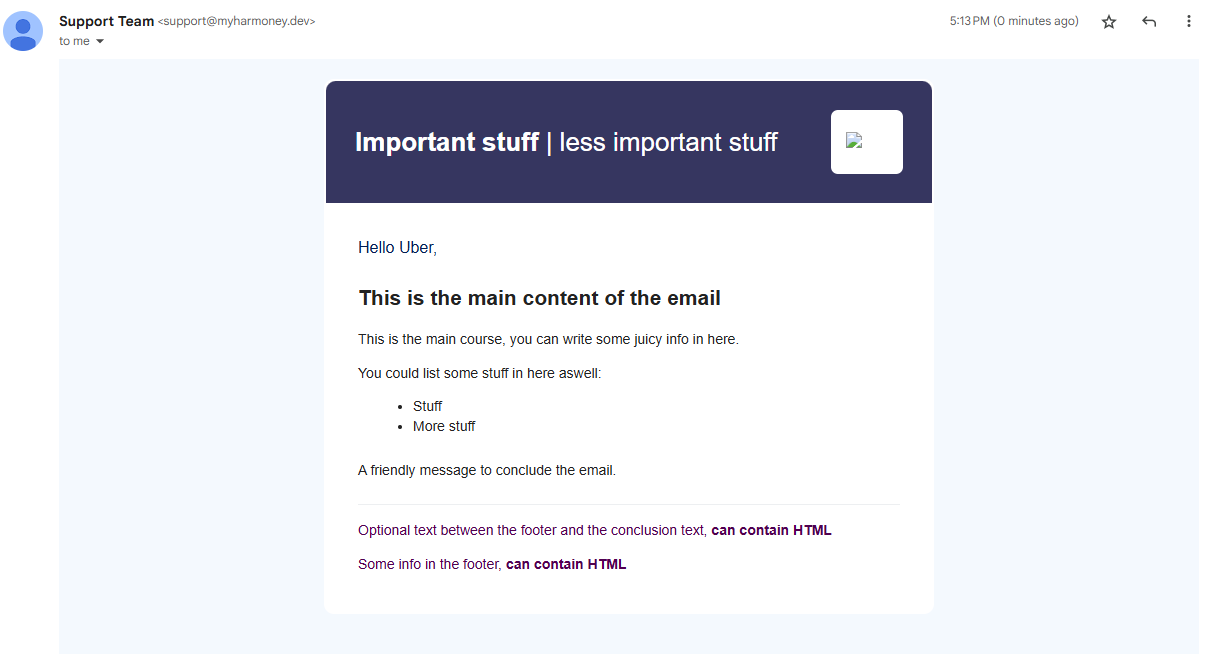
Which gives us our final result for our custom email template:
Contextual data
Here’s a summation of references that can be available in Velocity templates.
Core references
- Always available:
- The language ID:
$lang - Recipient data:
$recipient$recipient.name$recipient.email$recipient.idLang$recipient.emailValidated
- The language ID:
- Most likely available
- Client data:
$client$client.name$client.externalPartyReference$client.metadata.<key_name>$client.externalPartyMetadata.<key_name>
- Dossier data:
$dossier$dossier.name$dossier.number$dossier.status$dossier.idDossier$dossier.metadata.<key_name>
- Financial service provider data:
$fsp$fsp.name$fsp.idFinancialSp
- White Label data:
$whiteLabelName(only when a white label name is configured)- see also Whitelabel information below
- Client data:
- In context of information exchange:
$inviteeName$responsibleName$additionalInformation$inviteUrl/$tokenUrl(same value)$invitor.firstName,$invitor.lastName,$invitor.email,$invitor.mobilePhone(not always set)$grantor.*(alias of$invitor.*, not always set)$reminderIndex(in context of reminders -> typically no$invitor.*in that case)
- Specific references
$code(OTP emails)$documentName,$advisor.*(document-added emails)
If you want to support multiple contexts with one template, prefer safe usage patterns (for example, #if($dossier) / #if($invitor) blocks) around optional fields.
Dates
The only date fields that can currently be referenced are metadata fields.
All date fields will be formatted according to the date_format_lite_back_end format of the corresponding language in the language_definition table. If not present, the date_format_lite format will be used.
All date time fields will be formatted according to the date_format_full_back_end format of the corresponding language in the language_definition table. If not present, the date_format_full format will be used.
Whitelabel information
It is also possible to use information defined in the whitelabel in your template.
$font$termsOfUse$privacyPolicy$appUrl$logoUrl$buttonRadius
The following information can also be used to adjust the text colors in your template:
$primaryColor$secondaryColor$headerPrimaryColor$textColor$backgroundColor$buttonColor$infoboxBorderColor
By doing this you can adjust the paragraph styling like this:
<p style="font-family: $font.fontFamily;color: rgb($primaryColor);">
</p>
Instead of reusing whitelabel settings, you can also use highly customized values (e.g. rgb(34,34,34), which is a very dark gray):
<p style="font-family: $font.fontFamily;color: rgb(34,34,34);">
</p>
:::warning Warning
Paragraph styling does get cleared, the innermost style will be taken. In the following example, the words test won't have any styling as it is cleared because of the inner paragraph section <p>
<p style="font-family: $font.fontFamilies;color: rgb($primaryColor);">
    <p> test
    </p>
</p>
:::